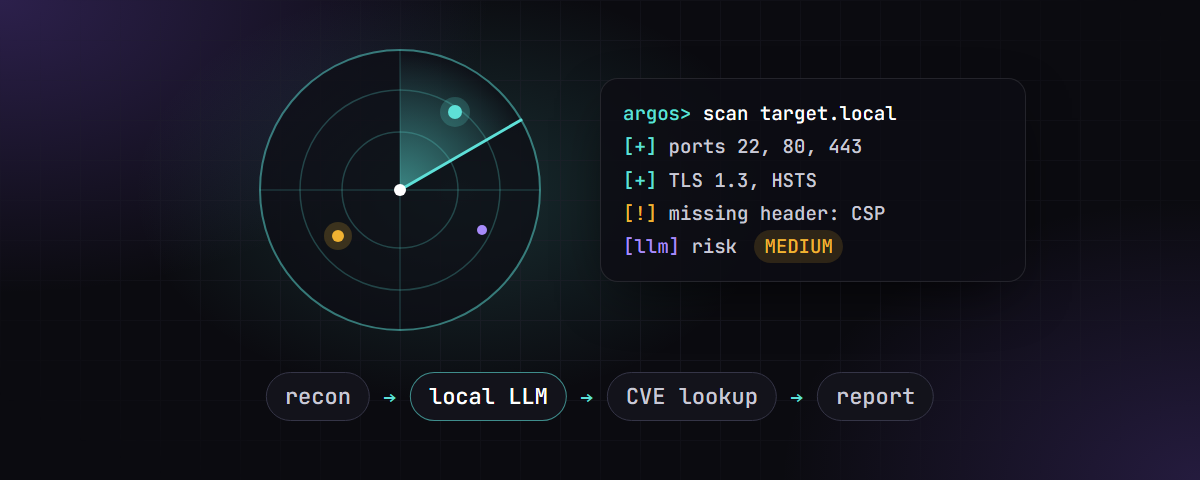
AI-powered terminal tool for web reconnaissance, vulnerability analysis, and exploit suggestion. Built for penetration testers, security researchers, and developers who want deep automated recon with local LLM analysis.
ARGOS is intended for use ONLY on systems you own or have explicit written permission to test. Unauthorized use against third-party systems is illegal in most jurisdictions. The author (Hemiize) assumes no liability for any misuse, damage, or legal consequences arising from the use of this tool. You are solely responsible for how you use this software.
| Feature | Details |
|---|---|
| 27-tool ultra deep scan | Standard (5) → Deep (13) → Ultra (27) recon tools |
| Local LLM analysis | Runs entirely on-device via llama.cpp or Ollama — no cloud, no data leaks |
| Live token/s display | Streams LLM output with real-time token counter |
| CVE enrichment | NVD API v2 with 7-day local SQLite cache |
| Deface detection | Checks defacement signatures, shell paths, WebDAV write access |
| Payload execution | Allowlisted exploit runner (nmap, sqlmap, nikto, curl, dirb…) |
| PDF/HTML/JSON/Markdown export | Professional reports for each scan session |
| Follow-up chat | Interactive Q&A with the LLM about scan results |
| Session management | SQLite history, diff between sessions, edit/delete entries |
| Cross-platform | Windows (PowerShell) + Linux — no cloud dependency |
| Mode | Tools | Time | Use Case |
|---|---|---|---|
| Standard | nmap, whois, whatweb, HTTP headers, DNS | ~2 min | Quick initial fingerprint |
| Deep | + SSL, security headers, WAF, CMS, subdomains, dir enum, nikto, CT logs, JS secrets, banner grab | ~10 min | Full surface mapping |
| Ultra Deep | + SQLi probe, XSS probe, CORS audit, clickjacking, open redirect, deface detect, path traversal, info disclosure, full nmap vuln scripts | ~30 min | Comprehensive vulnerability assessment |
Terminal UI powered by Rich

- Python 3.10+
- nmap (add to PATH — required for port scanning)
- One of:
- llama.cpp server (
llama-server) with a GGUF model - Ollama with any supported model
- llama.cpp server (
Installed automatically by setup.bat / pip install -r requirements.txt:
rich, requests, beautifulsoup4, dnspython, python-whois, reportlab, duckduckgo-search, ddgs
git clone https://github.com/Hemiize/argos.git
cd argos
setup.batgit clone https://github.com/Hemiize/argos.git
cd argos
python3 -m venv venv
source venv/bin/activate
pip install -r requirements.txtEdit config.py to match your LLM setup:
# llama.cpp
LLAMA_URL   = "http://localhost:8080/v1/chat/completions"
LLAMA_MODEL = "bench"   # model id as reported by /v1/models

# Ollama
OLLAMA_URL   = "http://localhost:11434/api/chat"
OLLAMA_MODEL = "llama3"
Or configure at runtime via Settings → [1] LLM Backend.
start.batsource venv/bin/activate
python argos.pyllama.cpp:
llama-server -m your-model.gguf --port 8080 -c 16384Ollama:
ollama serve
ollama pull llama3[1] New Scan — run standard / deep / ultra scan against a target
[2] View History — browse past sessions, re-run exploits, export reports
[3] Compare Sessions — diff two scans to track remediation progress
[4] Settings — switch backend, model, user-agent, CVE cache
[5] Exit
- Enter target IP or domain
- Choose depth (1 / 2 / 3)
- ARGOS runs all recon tools in parallel with a live progress bar
- LLM analyses raw scan data with live token counter
- Results displayed with severity-coloured panels
- Optionally: execute payloads, chat about results, export report
After a scan, ARGOS offers to execute LLM-suggested exploits via an allowlisted runner:
Allowed tools: nmap, sqlmap, nikto, dirb, gobuster, wfuzz, hydra, curl, whatweb, ffuf, nuclei
curlcommands are routed through Pythonrequests(no curl binary needed on Windows)- Target placeholders (
{target},TARGET,example.com) are auto-substituted - Results saved to the session database
Only run this against targets you own or have written permission to test.
From View History → [session] → Export:
| Format | Contents |
|---|---|
| Professional report with tables, severity colours, AI analysis | |
| HTML | Dark-themed standalone web page |
| JSON | Machine-readable structured export |
| Markdown | GitHub-compatible report |
argos.py        — main entry point, menu logic
config.py       — paths, URLs, timeouts
settings.py     — user settings (backend, model, user-agent)
llm.py          — LLM bridge (llama.cpp + Ollama, streaming)
tools.py        — 27 recon tool runners
ui.py           — Rich terminal UI components
db.py           — SQLite session database
cve.py          — NVD CVE enrichment
export.py       — PDF, HTML, JSON, Markdown report generation
search.py       — DuckDuckGo web search helper
requirements.txt
setup.bat       — Windows setup script
start.bat       — Windows launcher
- All analysis is performed locally — no scan data is sent to any cloud service
- The LLM runs entirely on your hardware (llama.cpp / Ollama)
- NVD CVE lookups contact
services.nvd.nist.govonly (cacheable offline after first run) - DuckDuckGo search is optional and only used in the follow-up chat search feature
This project is licensed under the MIT License with Attribution Requirement.
You are free to use, modify, and distribute this software provided that:
- You include the original copyright notice, AND
- You visibly credit the author: Hemiize (e.g. "Based on ARGOS by Hemiize")
See LICENSE for full terms.
Hemiize
ARGOS — stay legal.