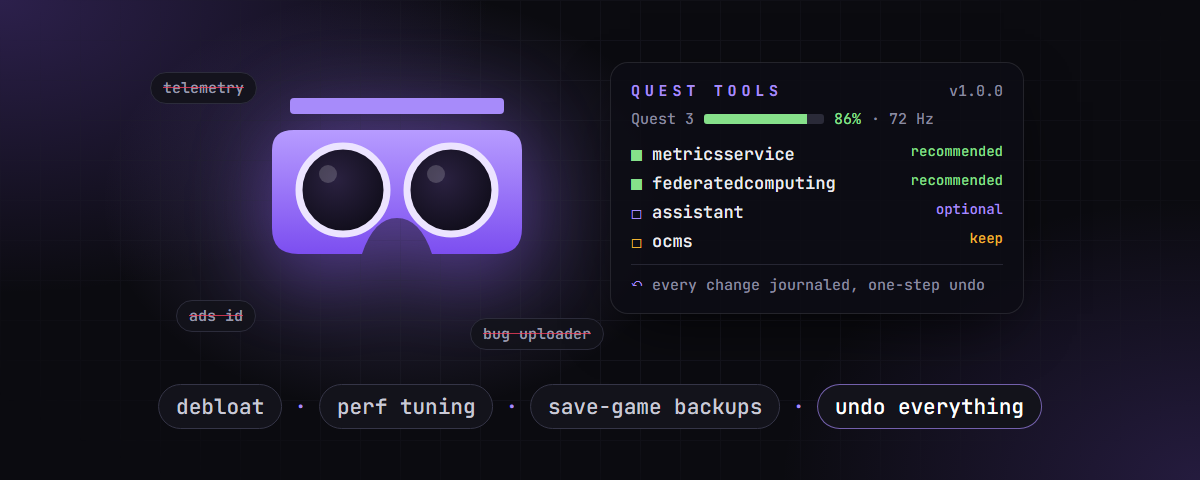

Take back control of your Meta Quest 3 / 3S.
Debloat, kill telemetry, tune performance, back up save games and settings —
from a fast, good-looking terminal UI. Every change can be undone.







- Menu-driven terminal UI: arrow keys, hotkeys, type-to-filter, checklists. No commands to remember.
- Live status bar showing headset and controller battery, temperature, refresh rate, connection, disabled packages and active profile, plus warnings such as TRACKING OFF.
- Undo for everything. Every package toggle, property and setting change is journaled with its previous value, and one key reverts a whole operation.
- Debloat that knows what it's doing. A curated knowledge base marks packages as recommended, optional, caution, keep or protected. It never disables the services that break your home panels or purchased apps.
- Firmware-update aware. Horizon OS updates silently re-enable packages. Quest Tools notices and restores your profile with one action.
- Backups that matter. Settings snapshots with diff and selective restore, and app backups that
include your save games (
/sdcard/Android/dataandobb). - Performance tuning. CPU/GPU levels, fixed foveated rendering, eye-buffer resolution, refresh rate, presets and a live monitor.
- Zero dependencies. Pure Python standard library plus
adb. Every function also works from the command line, including--jsonoutput.
Quest Tools is made for the Meta Quest 3 and Meta Quest 3S. Both run the same Horizon OS, so every feature, profile and knowledge-base entry applies to both.
| Headset | Status |
|---|---|
| Meta Quest 3 | ✅ supported, tested (Horizon OS v209/v210) |
| Meta Quest 3S | ✅ supported (same OS and packages as the Quest 3) |
| Quest 2 / Quest Pro / other Android devices |
Requirements
- A Meta Quest 3 or 3S
- Python 3.10+
- Android platform tools (
adb): download - Developer mode enabled on the Quest (via the Meta Horizon phone app), with USB debugging allowed when the headset asks
Get it
git clone https://github.com/Hemiize/quest-tools.git
cd quest-tools
…or download the ZIP from the latest release.
Run it
| Platform | |
|---|---|
| Windows | double-click Quest Tools.cmd. It opens its own terminal window |
| any | python -m questtools in the project folder |
Quest Tools finds adb on its own: the adb_path setting, then QUESTTOOLS_ADB, then PATH, then
C:\platform-tools, then the Android SDK.
| Key | Action |
|---|---|
↑ ↓ · PgUp PgDn · Home End |
move |
Enter |
open / run |
| digit or letter in front of an entry | jump straight to it |
Esc / Backspace |
back one level |
| just type (in lists) | filter, e.g. oculus |
Space · a |
toggle · toggle all (checklists) |
Tab |
package list: switch between known and all packages |
F5 |
refresh the status bar |
Ctrl+C |
stop a live view (monitor, logcat) |
q |
quit |

| Menu | What's inside | |
|---|---|---|
| 1 | Overview | status · health check · live monitor · device info · connected devices |
| 2 | Privacy & Debloat | telemetry report · check / apply profile (with dry run) · disable & enable packages from a checklist · full package analysis · explain a package · offline mode · Private DNS (AdGuard, Mullvad, Quad9, …) · save your own profile |
| 3 | Performance | current values · presets (battery → max) · CPU/GPU level · foveation (dynamic/fixed) · eye-buffer resolution · refresh rate · reset · process list · live monitor |
| 4 | Headset | FPS overlay · Guardian · proximity sensor · Phone SDK · SDK throttling · restart VR shell · reboot (normal/bootloader/recovery) · volume · key events · type text · open URL |
| 5 | Apps | apps sorted by size → details & permissions · launch · stop · backup with save game · export APK · per-app logcat · grant/revoke permissions · clear data · uninstall · install APKs (drag & drop) |
| 6 | Backups & Settings | settings snapshot · diff · selective/exact restore · app backups with save games · restore · browse settings |
| 7 | Media | screenshot (raw / wake headset / system) · screen recording · filtered, colourised logcat |
| 8 | Files | arrow-key file browser · download · delete · upload · disk usage |
| 9 | Connection | one-step Wi-Fi ADB setup · connect by IP · disconnect · pairing · choose device |
| 0 | Tools | adb shell · command library · change history · undo · run any command · configuration |
- Journal & undo.
pm disable/enable,setprop,settings put/deleteand system-app removals record the previous value in%APPDATA%\questtools\journal.jsonl(~/.config/questtoolson Linux/macOS). Tools → Undo reverts any operation, even a full settings restore. - Knowledge base (
questtools/kb.py). Tested facts win over name patterns.com.oculus.ocms,com.oculus.storeandcom.meta.credentialsmanagerare marked keep: without them the home panels or your purchased apps disappear. Those are skipped unless you pass--force. Protected packages such ascom.oculus.updaterare never attempted. - Dry runs everywhere. Profiles, restores and performance changes can show what would happen before anything is touched.
- Connection-safe restores.
adb_enabled,adb_wifi_enabled,development_settings_enabledand similar keys are never restored, so you can't lock yourself out.
Built-in profiles
| Profile | Disables |
|---|---|
telemetry |
telemetry, crash/bug-report uploaders, metrics, ad ID, promotions, federated learning, cloud backup |
privacy |
everything in telemetry plus unused Meta convenience services (assistant, social, casting, remote desktop, …) |
Every menu action is also a command, which makes it handy for scripts and automation:
python -m questtools status
python -m questtools doctor
python -m questtools debloat apply privacy --dry-run
python -m questtools settings backup -m "before experimenting"
python -m questtools settings restore --only secure,packages
python -m questtools perf preset performance
python -m questtools --json status          # machine-readable
python -m questtools undo
Global options: -s SERIAL, --json, -y. Changing commands accept -n/--dry-run.
See python -m questtools --help and python -m questtools <area> --help.
Backups, screenshots and videos go to ~/Quest/ (override with QUESTTOOLS_OUT). Configuration and
journal go to %APPDATA%\questtools (override with QUESTTOOLS_HOME).
- The Quest can't be rooted.
com.oculus.updaterandcom.oculus.q4bservicecannot be disabled. To fully cut off Meta, use offline mode or a DNS filter on your router. - Performance overrides (
debug.oculus.*) reset on reboot. - "Wake headset" screenshots can be black if the headset hasn't rendered a frame yet. They work best while you wear it.
- Internal app data (
/data/data) is not readable without root. Save games stored under/sdcard/Android/dataare backed up. - Built for Quest 3 / 3S. Tested on a Quest 3 running Horizon OS v209/v210 under Windows. Newer firmware may rename or add packages, and Linux/macOS are less tested.
🗂️ Project layout
Quest Tools.cmd    double-click launcher (own window)
questtools/
  tui.py           interactive UI: header, menus, pickers, file browser
  term.py          keyboard input (arrows, Esc, …) and flicker-free drawing
  cli.py           command tree; no command → UI
  adb.py           find adb, pick device (USB before Wi-Fi), run/sh/batch
  ops.py           state-changing actions with journal + revert()
  store.py         configuration, journal, profiles, saved commands
  kb.py            knowledge base, classification, built-in profiles
  probe.py         full device status in a single adb call
  transfer.py      pull/push with progress (name, MB, %)
  ui.py            colours, tables, bars, prompts
  commands/        device, debloat, perf, quest, apps, settings, net, media, files, backup, tools
tools/
  tuidemo.py       replay the UI with scripted keys (tests, screenshots)
  termshot.py      renders the SVG screenshots in this README
  make_icon.py     builds docs/questtools.ico
  glyphcheck.py    ensures only glyphs the Windows console font (Consolas) can draw are used
Use at your own risk. Quest Tools changes system packages, properties and settings on your device through Android's developer interface (ADB). Although every change is journaled and designed to be reversible, things can go wrong: features may stop working, apps or purchases may temporarily disappear, data may be lost, or a device may need a factory reset.
- This software is provided "as is", without warranty of any kind, as stated in the MIT License. The author (hemiize) is not liable for any damage to devices, loss of data, save games or purchases, account restrictions, or any other direct or indirect consequences of using it.
- Enabling developer mode and modifying system components may affect your warranty and may be restricted by the terms of service of the device manufacturer. You are solely responsible for making sure your use is permitted.
- Back up first. Use Backups & Settings to create a settings snapshot and back up your apps and save games before making changes.
- Only use Quest Tools on devices you own or are authorised to manage.
- The package knowledge base reflects observations on specific hardware and firmware. Package behaviour can change with any update.
- Quest Tools is an independent project and is not affiliated with, endorsed or sponsored by Meta Platforms, Inc. "Meta", "Meta Quest", "Oculus" and "Horizon" are trademarks of Meta Platforms, Inc. "Android" is a trademark of Google LLC. All trademarks belong to their respective owners.
Created by hemiize · hemiize.xyz
Released under the MIT License – © 2026 hemiize. You may use, modify and redistribute Quest Tools, as long as the copyright notice naming hemiize is kept in all copies and derived works.